Use case · Lectures
Attend the lecture. Read it later.
Listening and note-taking compete for the same brain. Record the class, stay present in it, and get back a searchable transcript that’s better than any notes you’d have typed.
The whole lecture, captured
Set your iPhone on the desk, tap record, and give the lecture your full attention. The app writes audio to disk as it’s spoken — a locked screen or a low battery won’t eat the class — and when it’s over, transcription runs automatically. No exporting files, no upload queue between you and your notes.
From 90 minutes of audio to 5 minutes of review
The transcript comes back with speaker labels, so the lecturer’s argument reads separately from questions in the room. Search it for the concept you half-remember. Copy the passage that will be on the exam. With Recorder Pro, a structured summary with key points sits on top of every recording up to 90 minutes — revision notes that wrote themselves during the lecture.
- Speaker A The key point: correlation here does not imply causation.
- Speaker A This will come up again in the exam — note the counterexample.
- Speaker B Does that hold when the sample size is small?
- Speaker A Good question — only with the correction we saw last week.
Lecture thread and student questions, separated automatically.
Why not just use Voice Memos?
Apple’s built-in recorder is genuinely fine at recording — if it’s all you have, use it. The difference is everything after the recording:
| Voice Memos | Record and Transcribe | |
|---|---|---|
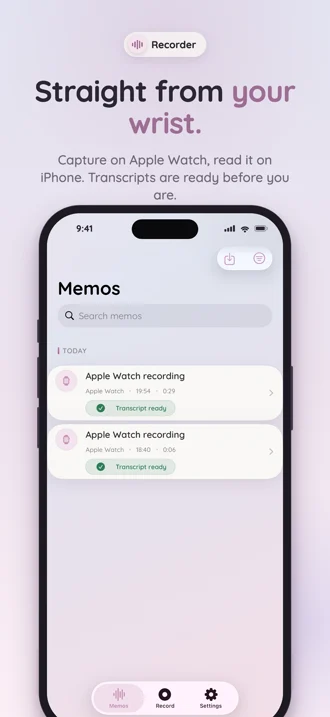
| Recording a lecture | Yes | Yes — plus one-tap capture from the watch |
| Transcription | Per-memo, recent iPhones only, one unlabelled block | Automatic for every memo, every line speaker-labelled |
| Telling lecturer apart from questions | No | Yes — speaker labels |
| Summaries and key points | No | With Pro, on recordings up to 90 minutes |
| Cost to try | Free | Free — 3 transcriptions included, no card |
(The full walkthrough of Apple’s own transcription options is in how to transcribe voice memos on iPhone.)
Once you have the transcript, the study method matters more than the recording did: how to turn lecture recordings into notes you can study from.
How do you record a lecture and turn it into notes?
- Check the course rules first. Many universities allow recording for personal study; some ask you to clear it with the lecturer. Thirty seconds of asking beats a term of uncertainty.
- Sit where you can hear, tap record, lock the phone. Recording continues with the screen off — a common failure in recorder apps that this one is specifically engineered against.
- Leave with a transcript, not a to-do. Transcription starts on its own when you stop — by the time you’ve packed your bag, the class is text.
- Review in minutes. Search the concept you half-remember, copy the passage that will be on the exam, and let the Pro summary be your first draft of revision notes.
Works for the rest of student life too
Seminar discussions, supervision meetings, group-project planning, dissertation interviews — anything spoken becomes text you can cite, quote, and organise. Start with the 3 free transcriptions and see what your notes look like when you didn’t have to take them.
Frequently asked questions
How long can a lecture recording be?
With Recorder Pro, a single memo can run up to 90 minutes — enough for a standard lecture or seminar block — and still come back as one clean transcript with a summary.
Can I search across my lecture transcripts?
Yes. Transcripts are searchable from the memo list, so “where did she explain the proof?” becomes a two-second search instead of an hour of scrubbing audio.
Does it separate the lecturer from questions in the room?
Speaker labels are applied automatically, so the lecturer’s thread stays distinct from student questions and discussion.
Am I allowed to record lectures?
Policies differ by institution and country — many universities allow personal-study recordings, others require permission. Check your course rules or ask the lecturer first.
Can students use it for free?
Yes — recording is unlimited and free, and every account starts with 3 free transcriptions, no card required. If lectures become a habit, Recorder Pro starts at $2.99/month.
Your semester, searchable.
Free to start — 3 transcriptions included, no card needed. Apple Watch app comes with it.