Use case · Voice notes
Say it now. Read it forever.
Ideas arrive on walks, in queues, between meetings — never at a keyboard. Speak them into your phone or watch, and they come back as text you can search, quote, and act on.
Capture the thought before it goes
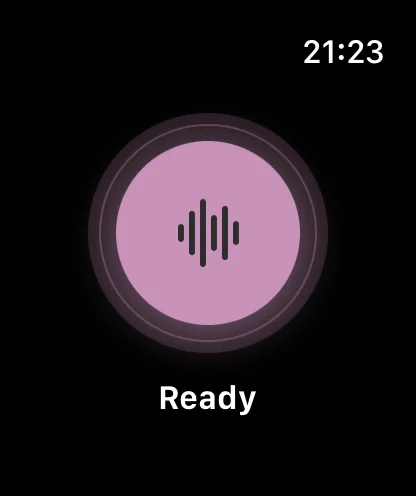
The half-life of an idea is about a minute. A voice note wins because it starts faster than typing: one tap on the iPhone, or one tap on the Apple Watch when your phone is in a pocket or on a charger across the room. Talk until the thought is out. That’s the whole workflow — everything after the tap is automatic.
A note you can search is a note you’ll actually use
Voice memos usually go to a graveyard: a list of audio files named by date that nobody replays. Here, every note transcribes itself, so the idea from three Tuesdays ago is a two-second search, not twenty minutes of scrubbing. Copy the text into your notes app, your draft, or your to-do list — the memo was the capture, the transcript is the artifact.
How do you keep an audio journal?
- Attach it to a moment you already have. The commute, the after-lunch walk, lights-out. Journaling by voice survives busy weeks precisely because it needs no desk.
- Talk for two to five minutes, unedited. Spoken journaling is closer to thinking than writing is — say what happened and what it meant; don’t compose.
- Let the transcript be the journal. Each entry becomes dated, searchable text. “When did I first mention burnout?” is a search query now.
- Reread monthly. The compounding value of a journal is in the rereading — and rereading text takes minutes, not hours of audio.
Private by design — which is the whole point
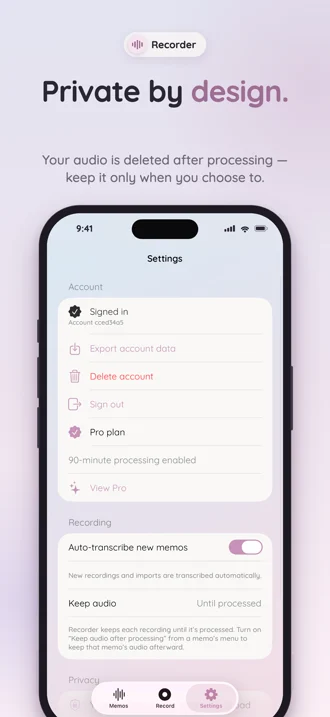
A journal is only honest if it’s private. Notes are recorded and stored on your device, audio is deleted after transcription unless you keep it, and the app’s privacy label is “Data Not Collected”. Speak accordingly.
Frequently asked questions
Is my voice journal private?
Audio is recorded and stored on your device, and deleted after transcription unless you choose to keep it. The app’s App Store privacy label is “Data Not Collected”. What you say to your journal stays yours.
Can I record a voice note from my Apple Watch without my phone?
Yes. The watch app records and stores memos on the watch itself, then hands them to your iPhone with integrity checks when it’s back in range — where they transcribe automatically.
Do voice notes transcribe automatically?
Yes. Every memo enters the transcription pipeline on its own — no upload, no “convert” button. A note you spoke at noon is searchable text before you next open the app.
How long can a voice note be?
As short as a sentence, or — with Recorder Pro — as long as 90 minutes. Ideas rarely need that much; morning-pages-style journal entries sometimes do.
Your next idea, in writing.
Free to start — 3 transcriptions included, no card needed. Apple Watch app comes with it.